 ChatGPTLLM chat
 ClaudeLLM chat
 VS CodeLaTeX
 OverleafLaTeX
 ObsidianMarkdown
Right next to your cursor.
Press Caps Lock — or Option + Space on macOS, Ctrl + Space on Windows. The math panel opens without pulling you out of the app you are working in.
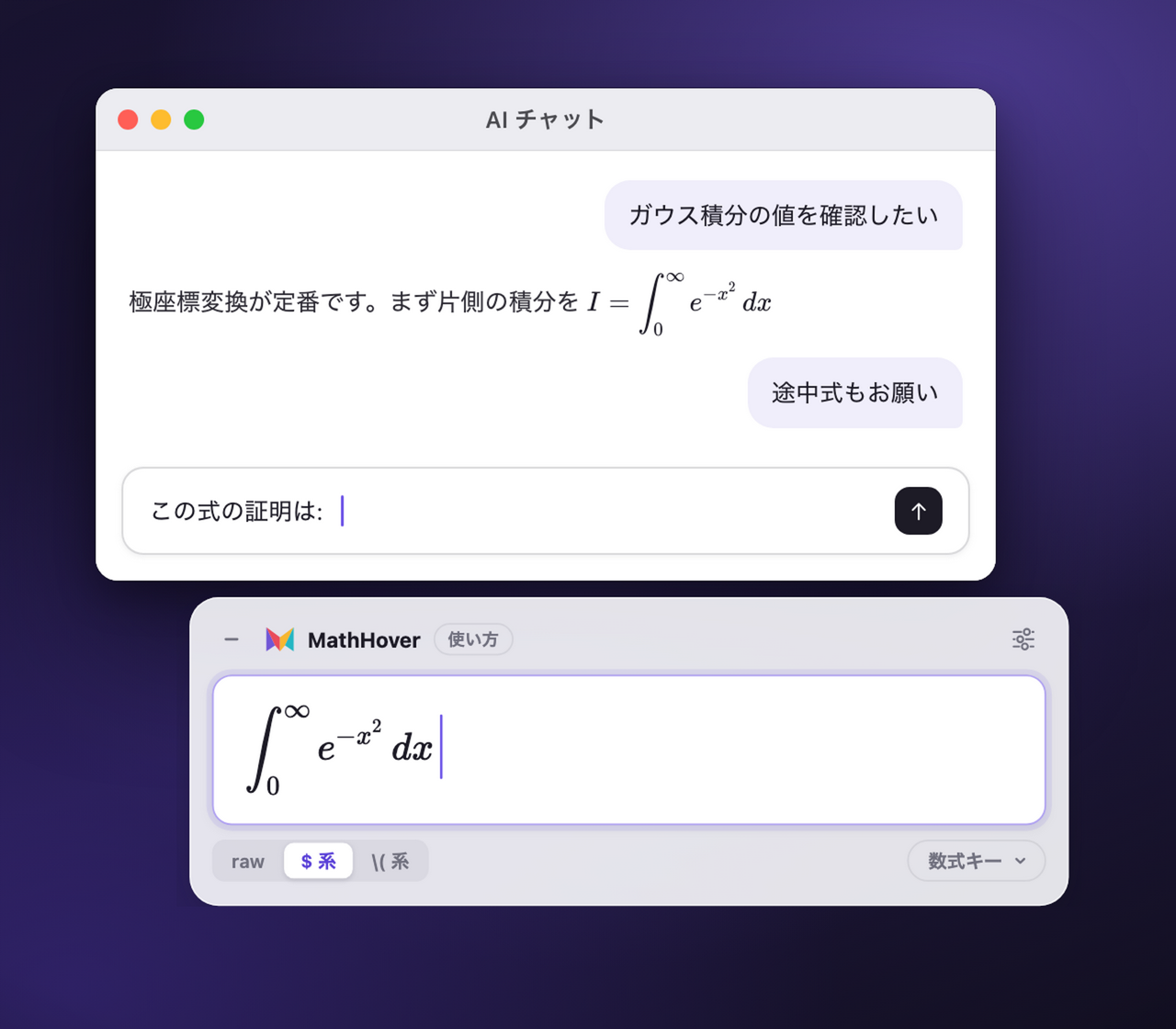

A math input panel that opens right next to your cursor, in any app.
Write LaTeX with one shortcut, and paste it straight back.
macOS 13 Ventura or later / Windows 10 version 2004 or later
Ask an AI. Write LaTeX. Keep it in Markdown.
Made for flow
MathHover is a small desktop app built for one job: writing equations. It appears the moment you need it and gets out of the way the moment you are done.
Press Caps Lock — or Option + Space on macOS, Ctrl + Space on Windows. The math panel opens without pulling you out of the app you are working in.
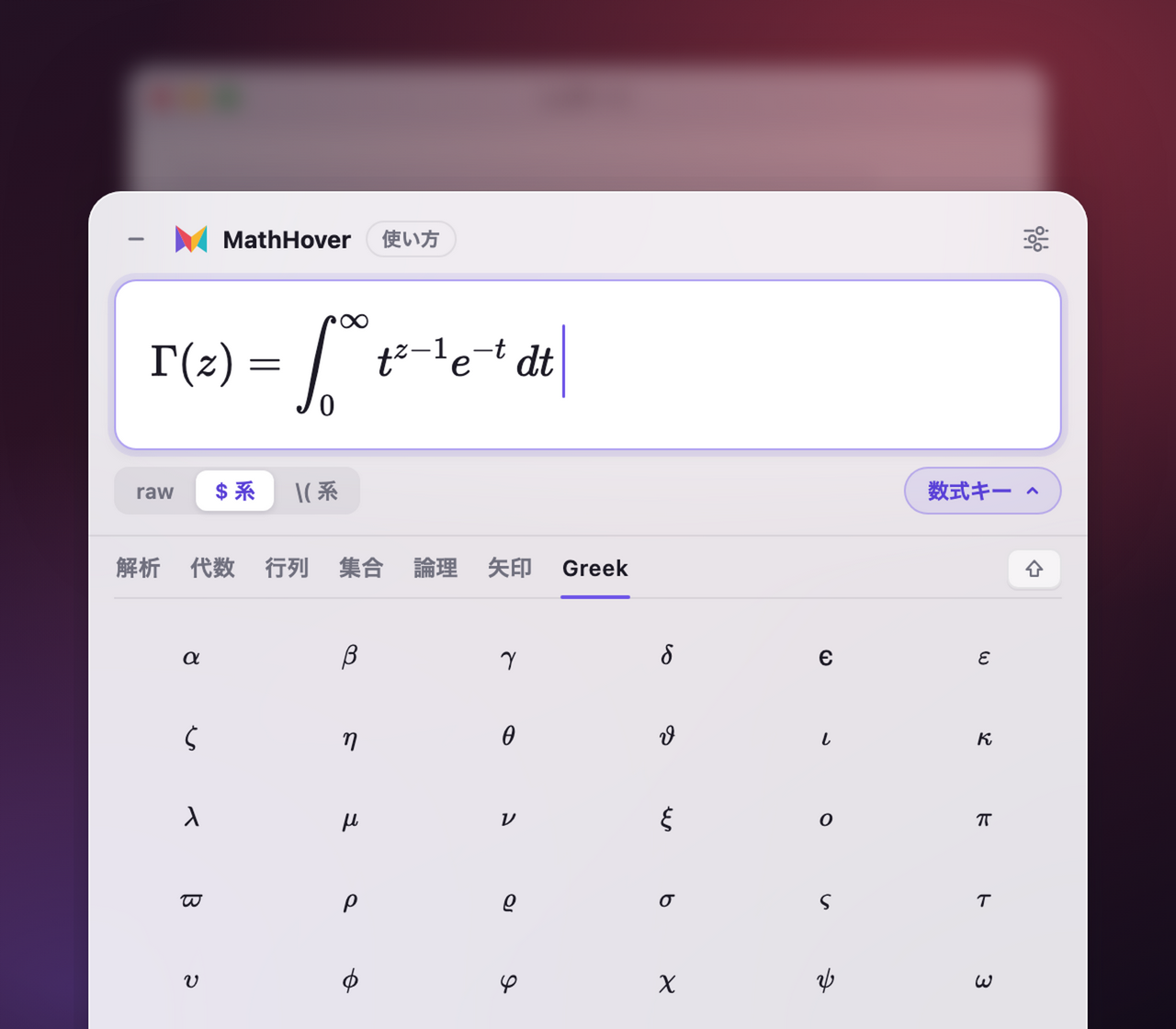
Suggestions and the on-screen math keys handle the commands you can never remember. You see the typeset result as you build it.
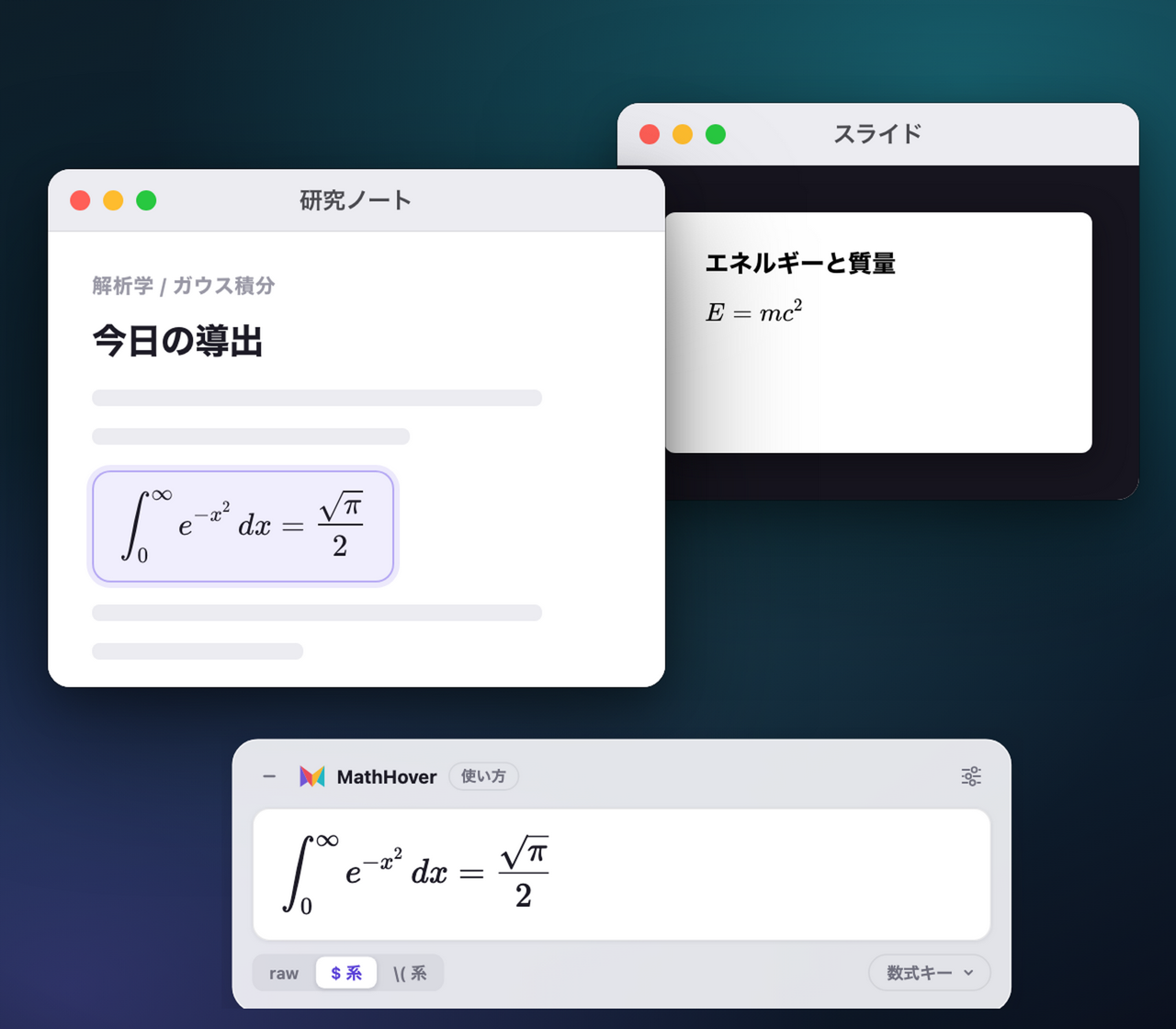
Confirm the equation and it is pasted back where you were. Notes, chats, slides — the flow never stops.
Free for everyone
No account, no trial limit. Download it and start typing.
$0
Free forever. No purchase, no subscription.
Download for freeQuestions & Answers
What to know before you install MathHover.
Almost any macOS or Windows app that accepts pasted text. MathHover pastes the finished LaTeX back into whichever app you were using before you opened the panel.
No. Math input runs entirely on your device, so the core features work offline. Your equations are never sent to a server.
Yes. Caps Lock is the default, with Option + Space on macOS and Ctrl + Space on Windows available as alternatives. You can register your own keys in Settings.
Nothing. There is no account, no trial limit, and no paid tier — every MathHover feature is free to use.
MathHover v1.0 will be released under the Apache License 2.0. We are crowdfunding that release on Kickstarter, and the source code, official installers, and documentation will be published publicly once it ships.
No. The input method needs no AI, no cloud inference, and no subscription. Everything that turns your keystrokes into an equation runs locally.
MathHover for macOS & Windows